 Tallyhook
Standing orders that take changes
Pubs and restaurants that order the same thing every week sit on a standing order for each delivery day. When they email a change, it is applied on top of the standing order rather than replacing it.
Tallyhook reads the orders that arrive by email, turns them into delivery runs, and keeps the batch records you need if something ever has to be recalled. It is built around how producers who cut, cure and deliver their own product actually work.
The demo is filled with Larkhey Meats, a made-up family producer in Somerset with two vans and about forty trade customers. Nothing in it is a real business, and it resets every night.
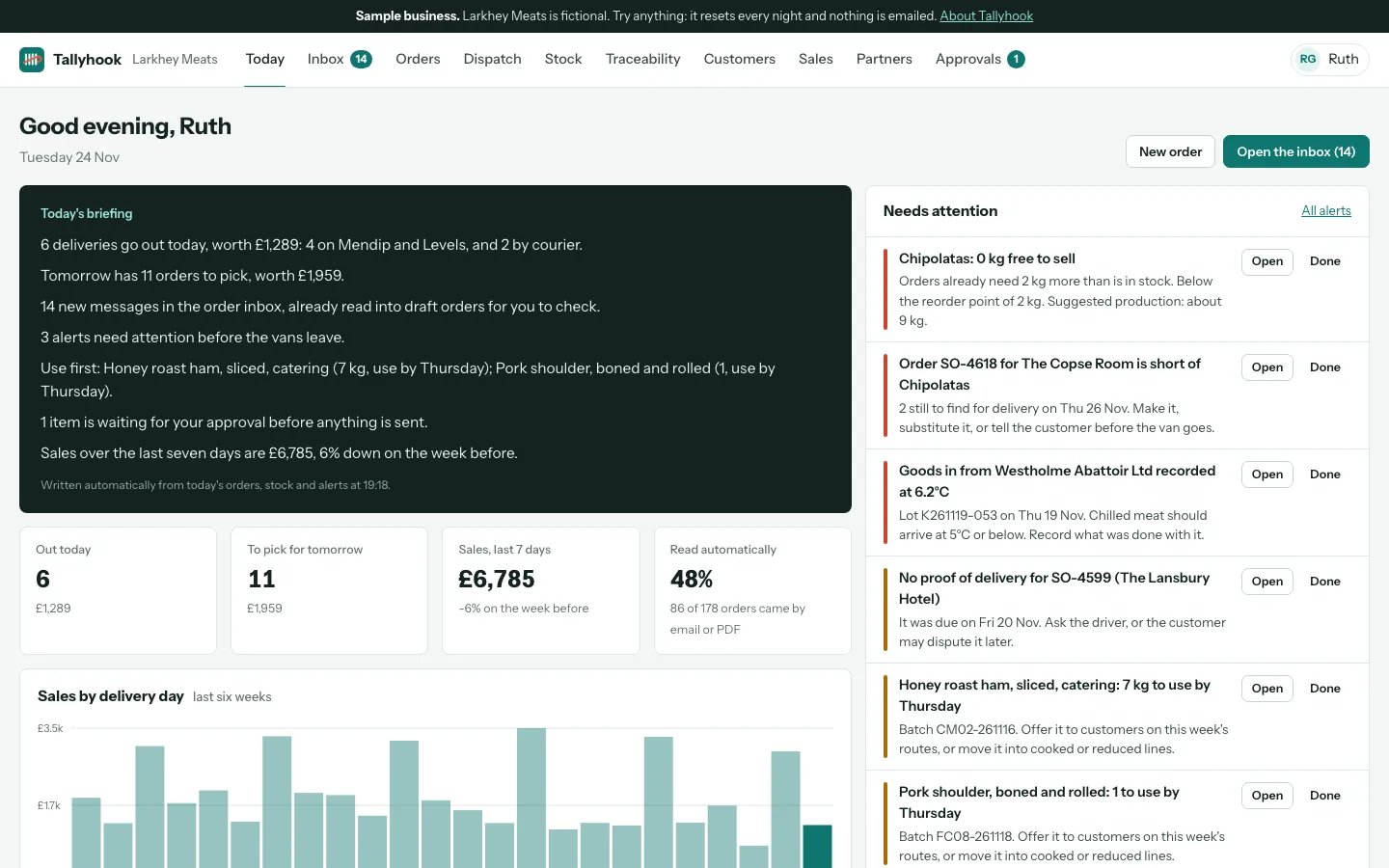
An email might say "the usual plus 5kg mince" or "3 of the big pork pies". Tallyhook matches those words against your catalogue and that customer's past orders, works out the delivery day, and puts a proposed order in front of you. Anything it is not sure about is highlighted for a person to check.
Morning Dawn

the usual for friday plus 5kg mince please, and 2 x streaky

cheers
Gav
| Beef mince, 15% fat Their usual 5 kg plus 5 kg extra | 10 kg |
| Pork sausages, catering Friday standing order | 5 kg |
| Dry-cured back bacon, catering Friday standing order | 2 kg |
| Rump, whole trimmed Friday standing order, invoiced on weight | 1 |
| Pork shoulder, boned and rolled Friday standing order, invoiced on weight | 2 |
| Dry-cured streaky bacon, unsmoked Read from "2 x streaky", the name your catalogue gives it | 2 kg |
No AI model is involved. The reading runs on rules, your own catalogue and the customer's order history, so it costs nothing per email and does the same thing every time. Words it does not know can be taught once, and it remembers them.
Emailed orders, PDF purchase orders and phone orders all end up as the same kind of draft. Nothing becomes an order until someone in the office accepts it.
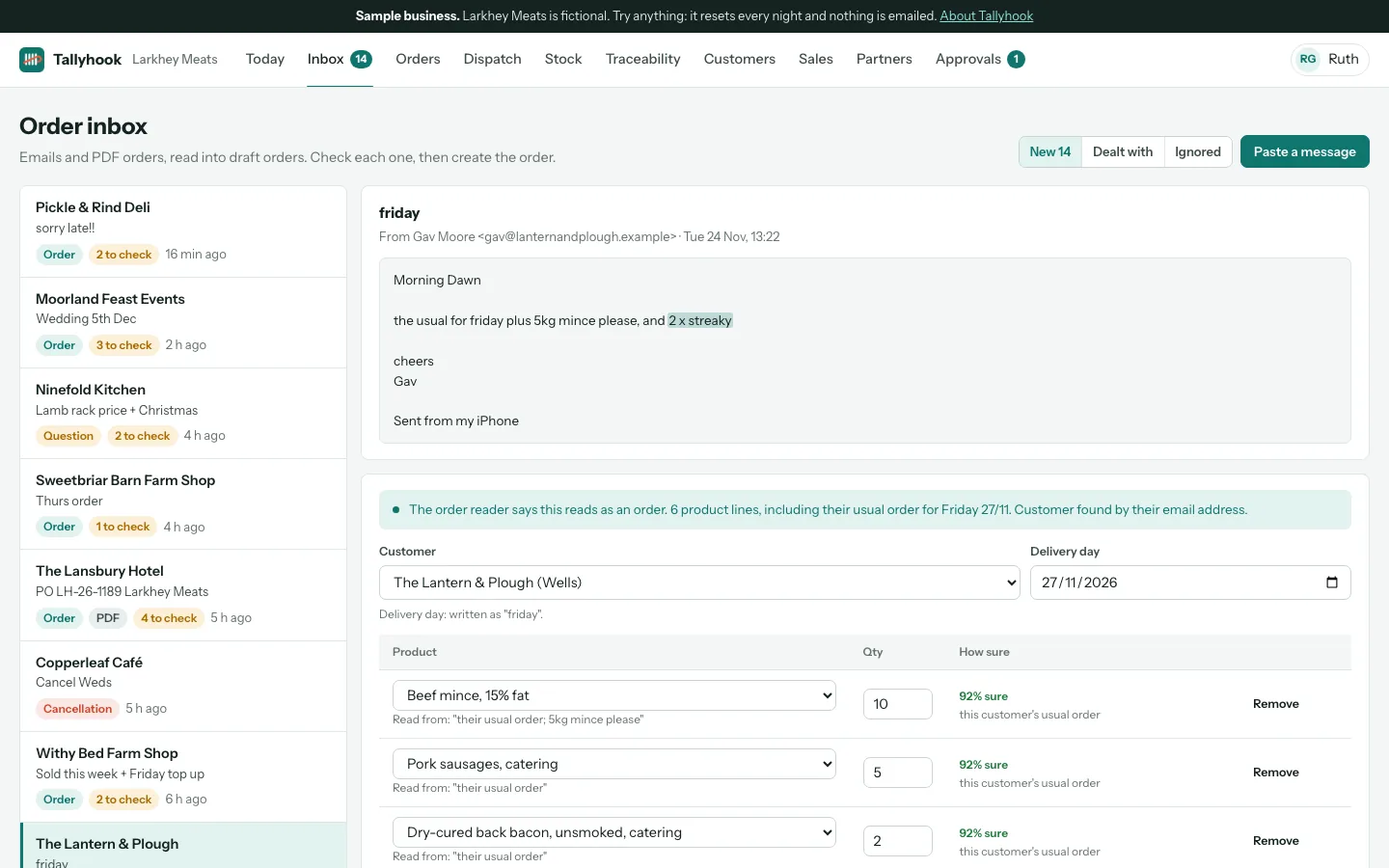
Each part does one job that small producers usually do on paper, in a spreadsheet or in someone's head.
Pubs and restaurants that order the same thing every week sit on a standing order for each delivery day. When they email a change, it is applied on top of the standing order rather than replacing it.
A chef orders one rump or eight ribeyes. The packer weighs each line when the order is picked, and the order is valued on the actual weight. Fixed packs like mince bags and pies are priced per unit as normal.
Every production run is a batch with its own use-by date. Orders take from the batch that runs out soonest, and stock that has to go in the next two days is listed so it can be sold first.
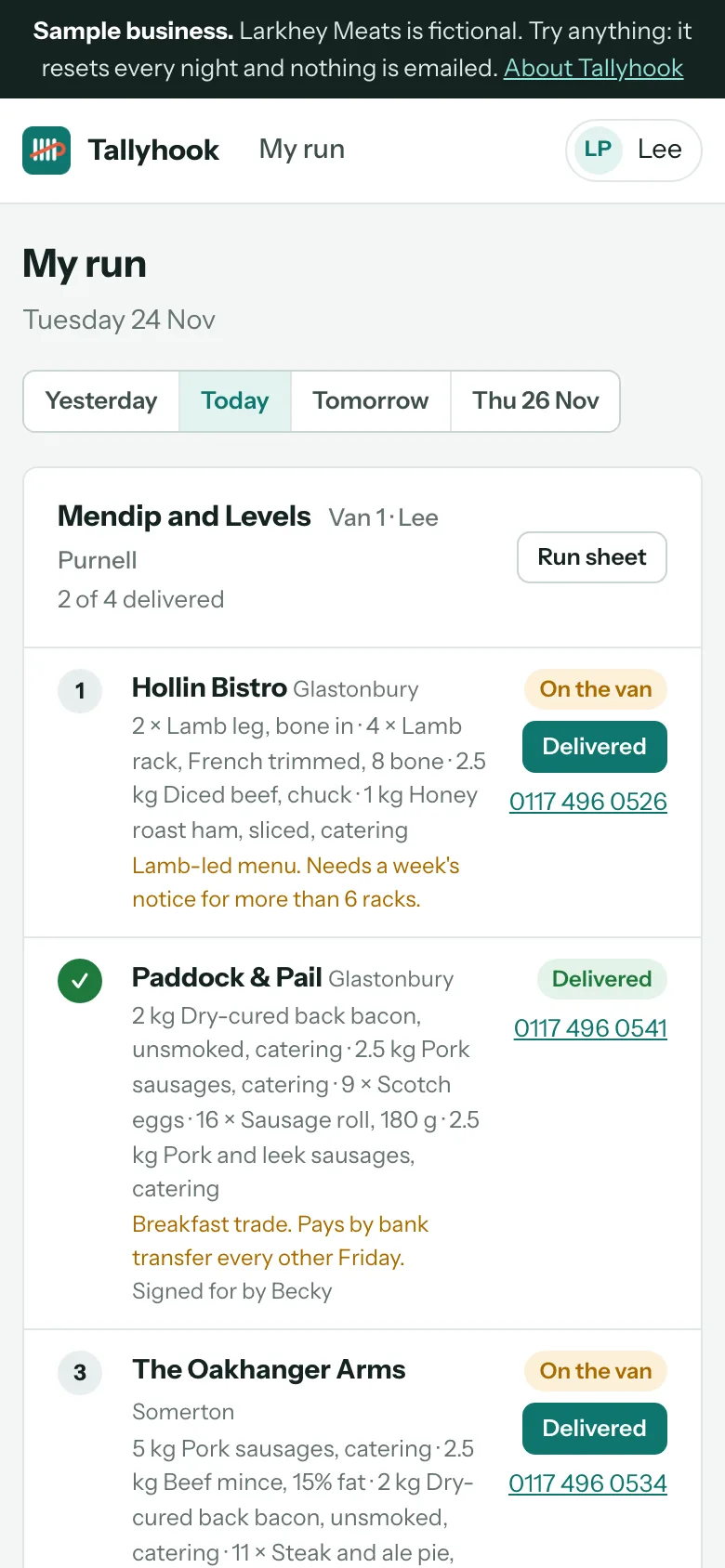
Each customer belongs to a van round or the courier. Drivers get a run sheet in drop order, and courier parcels get a waybill label with a scannable code.
Some farm shops take stock on sale or return, on commission or on a profit share. Tallyhook keeps the terms of each agreement and works out the monthly statement from the sales and wastage they report.
Replies to complaints and partner statements wait in an approvals list until a person reads and sends them. Every change is recorded with who made it.
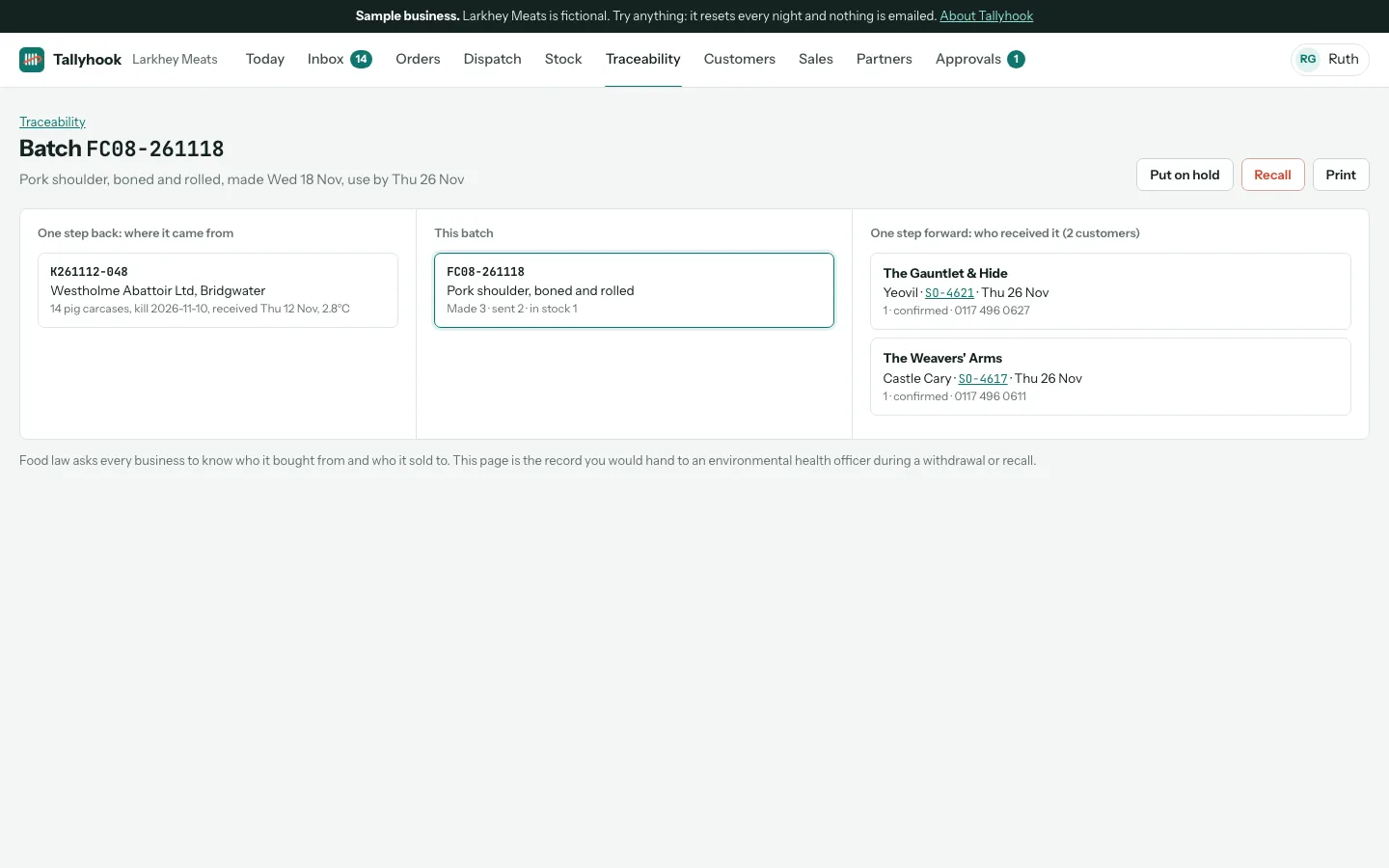
Each batch is linked to the carcases and ingredient lots that went into it, and to every delivery it went out on. Starting from a batch code or a supplier's lot number, one screen lists every customer who had it, how much, when, and how to reach them.
It keeps the records a recall needs. It does not replace your own withdrawal and recall plan, or the duty to tell your local authority and the Food Standards Agency.
Each morning there is a short summary: what goes out today, what to pick for tomorrow, new messages, stock to use first, and anything that needs a decision before the vans leave. It is written from your own figures with plain rules and simple averages, so it never guesses at things it cannot see.
No. Every order it reads from an email is a proposal. Someone in the office accepts it, changes it or ignores it, and Tallyhook records who did which.
No. The email reading, the alerts and the morning briefing all run on rules, your catalogue and simple statistics from your own orders. That keeps it predictable and means there is no charge per email.
Tallyhook reads the text of the PDF, matches the customer's descriptions to your products, converts bags and boxes into your own units, and points out where a price differs from your list. Words it does not recognise can be taught once.
Yes. Mark a product as catch weight, take the order as a count of joints, and enter the actual weight when the order is picked. The delivery note shows the weight and the order is valued on it.
It keeps the records you need for one. Starting from a batch code, it lists every delivery that batch went out on, with customer, quantity, date and contact details. It does not replace your own withdrawal and recall plan.
Yes, on their phones. They see their run in drop order with each customer's notes, and record who signed for each delivery and anything that was short or damaged.
No. Tallyhook looks after orders, stock, deliveries and traceability. Invoicing, VAT and payroll stay in your accounts package.
The demo uses a made-up business. You can set up your own empty workspace from the sign-in page, or get in touch and we will load a copy of your price list and customer list for you.
Sign in as the owner, the office manager, the production lead or a driver. Read an email into an order, trace a batch, or run a delivery from a phone.